Friday, September 14, 2018

Fully Hosted VS. Self-Hosted eCommerce. Which Is Right For You?

Selling your products online is easier nowadays and almost anybody can have a website up and running in a couple of hours with the help of eCommerce platforms. However, if you’re new to website creation or even online selling it can be hard to tell which type of eCommerce solution is right for your needs. There are many options available but the choices are usually narrowed down to fully hosted and self-hosted eCommerce platforms.

But how can you tell which platform is right for your business? Here’s a look at the difference between these types of hosting and how to find out which one is for you.

Fully Hosted

In a fully hosted platform, all hosting including the software is handled by the platform. Good examples of this type of hosting include: Shopify, Volution and Big Commerce. These types of platforms utilize drag and drop web builders so people who don’t have experience will be able to create a website easily. They also have an easy-to-use shopping cart so you can accept payments.

Fully hosted platforms require less maintenance compared to self-hosted. This can be a good feature if you don’t have time to perform updates. They also take care of security patches and install latest version of updates which is great because it reduces your site’s downtime and ensures that your site is always up.

This type of hosting is also a great option for those who have limited coding knowledge. You will also have access to their customer service and technical support should you need help.

Best of all fully hosted platforms usually have a flat fee so your hosting expenses won’t fluctuate and all files are saved in the cloud.

Self-Hosted

Self-Hosting on the other hand requires you to install the software on your server. You can think of it as performing a WordPress installation but it will be an eCommerce platform instead. This means that all files are saved in your server. Popular self-hosted ecommerce platforms include Magento and Woocommerce.

Since you will be handling the installation, you will also have more responsibility. For example, you need to have a good grasp of security and fraud. You also won’t have access to technical support and customer service because you will be responsible for this area as well. There are many communities that can help you with troubleshooting issues but most of the time you will be left on your own devices to figure this out.

The good news is that you can really personalize your site with self-hosted platforms. You have access to open source code and tweak all elements of your website to your heart’s content. You also have more control over your files. You do need to perform everything yourself but you also have the option of handing over operations to a skilled programmer who can do changes and handle maintenance in your stead.
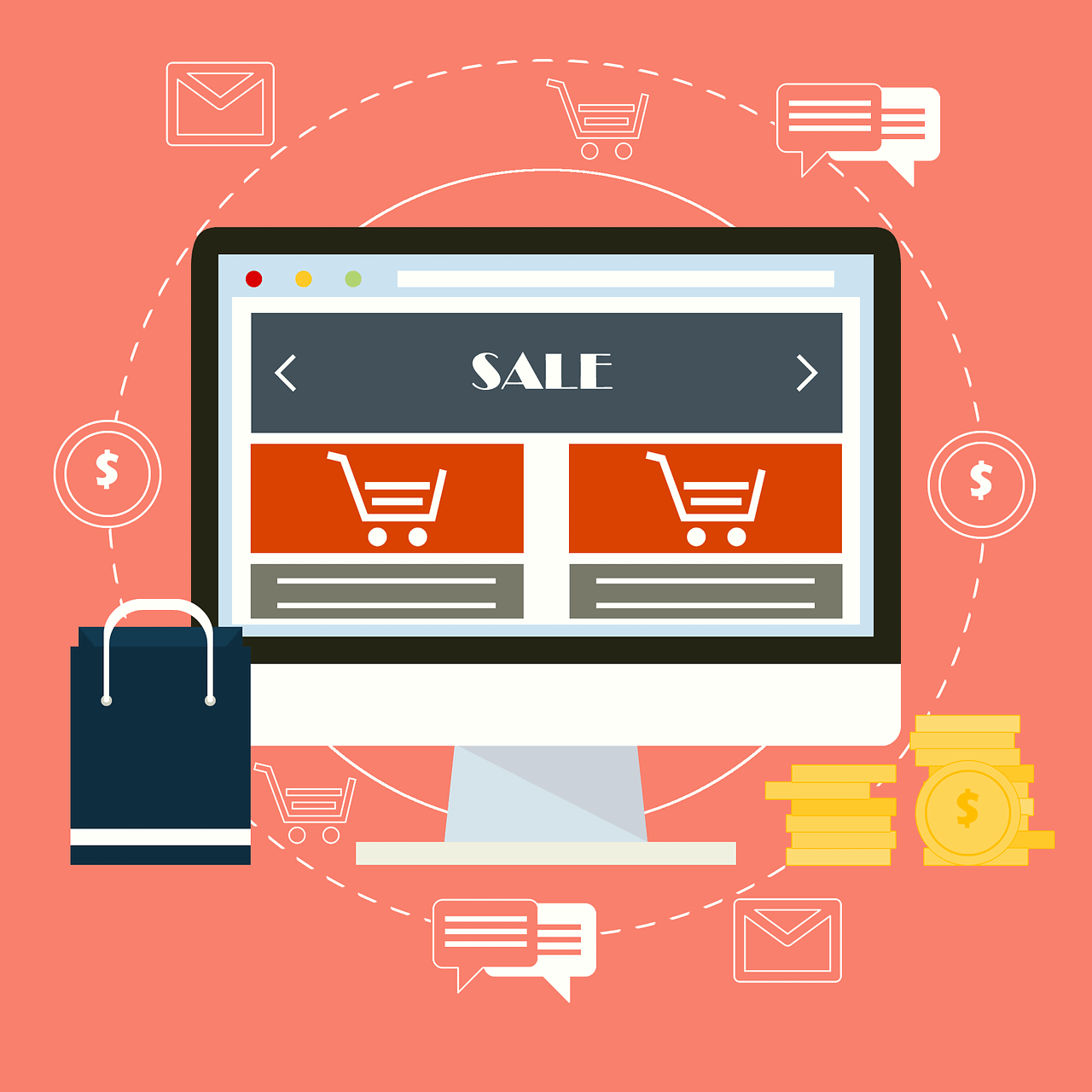
 

Which One To Pick?

Small to medium businesses really fare well with fully hosted ecommerce platforms. With this option you can have your website running in hours. You also enjoy perks like security and maintenance which can be a godsend if you don’t have time to perform these tasks. Most fully hosted platforms are paid monthly and have affordable prices so you won’t need a big startup capital to get up and running.

If you have your own IT team or want more control of your website, self-hosting is a better option. You will need to invest a significant amount of money to get started. You also need to deal with all website issues on your own but self-hosting gives you more control not only over files but over personalization too.

It all boils down to what your business needs. All businesses are different so you need to figure out what your business needs to help you decide the type of ecommerce platform to succeed.

Did you know about the different types of hosting? Which hosting type do you think is best suited for your business? Tell us by leaving your comments below.


The post Fully Hosted VS. Self-Hosted eCommerce. Which Is Right For You? appeared first on .


from https://ift.tt/2QtNR5S

Web Design and SEO

Did you know that your web design has an effect on SEO? Yes, seriously.

SEO is not just about keywords. They still matter but search engines like Google is smarter than that. Here’s how web design impacts SEO.

1. Which Codes Matter To Google?

There are many codes that are important to Google, but it’s best to focus on those that impact SEO. They are the tittle tag, Heading tags and Meta description.

  • Tittle Tags

This tag used to be what showed up on the top bar of the browser. Nowadays the title tag is no longer shown but they still matter to Google because it shows them what you’re offering and it’s what appears on SERPs (search engine results page).

In this connection, it is best to:

  • Create a unique title tag that best describes your content as a signal to the engine what the website is about.
  • Limit description within the 55-character range.

Refine title tags to reflect pages and post. They can help establish context and it’s what makes searchers click on the link.

  • Heading Tags (H1, H2, H3)

Heading tags also impact SEO. The tags give searchers a glimpse of what the page or section is all about. This is very important because the reader will look at the headings to find out if it is relevant to their search. They also serve as context indicators for search engines to “see” what’s in the post, to note important topics and to find out how these might relate to the user’s search.

When writing heading tags, always remember that they are meant for: search engines and your target audience. Search engines see them as context indicators in the form of keywords and give users reason to dig deeper. Headings tags can be broken down into:

  • H1 – what the page is about?
  • H2, H3, H4 – what the section is about?
  • Meta Descriptions

Let’s be clear by stating that meta description and meta keywords have no impact whatsoever in SERPs ranking. So now you’re thinking what do meta descriptions serve?

Yes, they don’t affect ranking within the SERPs but they do affect click-through rate. Search engine use these description as “sales pitch” so if users find it attractive, they will click on the link and land on your website.

Just like your title tag, this gives you the chance to entice users to visit your website. It’s usually around 150 characters long so it’s best to focus on your product or service but should also be concise so that users can have an idea of what you’re offering while reviewing the description.

2. UX, Design & SEO

You can’t rely on just keywords anymore to get top ranking on SERPs. Google wants to provide the best listing possible so UX (user experience) matters too.

Since you can’t rely on keywords to gauge the value of a website, the following indicators also need to be monitored.

  • Bounce rate – When a user clicks on your link in a SERPs and then hits the back button after seeing your website or content, it means that they have low value for the website or page.
  • Time on Site – this is literally how much time a user spends on your site after they clicked from the SERPs. The more time they spend on your site, the better.

Bounce rate and time on site stats can be improved by employing good UX and web design. If a website looks like it’s been constructed in the early 2000’s chances are people won’t stay.

If by chance they do stay but can’t find a menu or if images are poor they will leave too. Luckily, user experience can be improved with design and usability. Providing good value to users is also very important.


According to Kissmetrics, good UX means:

  • Helping visitors take the first step.
  • Avoiding information overload.
  • Leading the way for customers and
  • Watching your guests.

Useful design and relevant content will help lead your guests where to go. And when they do get there, they will feel good because they got what they came for. This is good UX and web design.

3. Going Mobile

Google has been penalizing websites that are not mobile optimized since 2015. This means that websites not optimized for mobile use will have poor rankings on the SERPs. While this only affects the SERPs for mobile users, think how many mobile users are out there.

According to Statista.com, the number of unique mobile users for 2018 has risen to 3.7 BILLION. If you think you have mobile users, better optimize your site now.

To make things easy, Google has provided a tool to find out how mobile-friendly your site is. If it does not pass their test, you might need responsive design or other fixes to address this issue.

4. Keep Design Fresh and Interesting

Always tweak and review your design. Aside from design, always make sure codes are updated. Content, video, images, offers, CTAs and other visual elements should drive users to action and should always be up to date.

If a website feels and looks old; users and Google will not want to go there.

So that’s how web design impacts SEO. If TLDR here’s a synopsis:

  • Focus on tags that matter
  • Always provide best user experience.
  • Optimize for mobile and
  • Keep design fresh and interesting

What is your experience on web design and SEO? How do you think your web design has impacted your search rankings? Tell us by leaving your comments below.


The post Web Design and SEO appeared first on .


from https://ift.tt/2p9rfel

Tuesday, September 11, 2018

Getting Your Website Ready For The Holiday Season

Do you know that around half of an average retailer’s sales for the year occur during November and December? According to sources many people begin their holiday shopping before Thanksgiving. This means that your website should be ready to handle the influx of visitors during this time of the year.

But don’t wait for November to get ready. Now is the time to start preparing to make sure that everything is in place so that you can attract the maximum amount of traffic and number of shoppers. Here are suggestions to help with both.

  • Special Holiday Promos

The Holidays are a great time to introduce special holiday promos to your customers. You can offer them to subscribers to help build your mailing list.

Now that you know the target market of your promotion, the next step is to decide the promotion to offer. It can be in the form of free shipping, buy one get one (or half), coupon discount or discount coupon for their next purchase.

Keep in mind that there is no one-promo-fits all. You might need to test out a few ideas to find out which ones work best for your service/product and customers.

  • Gifts To Entice Purchase

Another great way to spike sales is by offering gifts to entice guests to buy something. Buyers love freebies.

Before you think that you can’t afford to offer free gifts, remember that the value of a gift is subjective. It costs nothing for you to produce an incentive but to customers, the value of a gift is different.

A good solution is to buy in bulk or give away last year’s excess inventory. Other good gifts include:

  • Tickets to an event
  • Blank Christmas cards
  • Holiday Music CD or flash drive
  • Next Year’s planner


  • Partnership

Some retailers are on a strict budget, but it does not mean to say that offering gifts and promos are out of the question. A good option is to partner with another website on joint promos.

For example, a merchant offering personalized Christmas cards can offer discount coupons to a gift shop and the gift shop can also reciprocate.

Not only will this type of partnership help boost your mailing list, it will also help you reach new customers.

  • Promote In Advance

To ensure success, make sure that your promotions and discounts are ready in advance. This way you can start promoting early.

One of the best ways to entice buyers is by building up the suspense. You can craft a series of newsletters or emails that hints about the upcoming deals and promotions on your site. When it’s time to reveal your offer, make it a limited time offer to create a sense of urgency. This will help boost sales immediately while keeping you ahead of the holiday rush.

Don’t forget to include links for your recipients to share to their family and friends.

Ecommerce CMS cart


  • The Shopping Cart

Everything is ready but nothing is going to get purchased if your shopping cart is not ready. Your guests should be able to buy without effort.

Check the backend of your shopping cart. Make sure it is able to handle increase traffic during the holidays. You might need to upgrade your plan to accommodate more customers, products and shipping.

While you’re at it, the checkout is also a great time to include related items to help increase sales. Go through your products thoroughly and check if all descriptions are accurate and updated especially for popular items. Think of this as your version of Amazon’s “customers who bought this product also bought…”.

Enlist the help of a family member or friend to buy something on your website so that you can check if you can refund and cancel easily on the backend. This is also a chance to receive feedback on how easy/hard it was to buy something on your site. Running tests is a great way to anticipate potential roadblocks and getting them fixed before the holiday shopping season begins.

It would be a pity for your site to crash during the busiest shopping days of the year. However, ensuring that your site is ready and identifying potential problems and fixing them is a great way to get ready for your sales and promotions.

Is your website ready for the influx of customers? What are you doing to get your site ready for the holidays? Tell us by leaving your comments below.


The post Getting Your Website Ready For The Holiday Season appeared first on .


from https://ift.tt/2x2denq

Learn JavaScript With These Premium Courses

It’s a fact that mastering coding takes a lot of time and effort. JavaScript is not only one of the most popular and in-demand languages; it is also one of the toughest to learn from scratch.

Unfortunately, there is no “best” course to learn JavaScript. However, the good news is that no matter where you are in the learning process, there are courses online that makes it worthwhile to study JavaScript. These courses can accommodate absolute beginners and those who are looking for more complex subjects like Node or 3D JS libraries.

Take a look at these awesome learning resources.

Codecademy JavaScript

Codecademy is one of the best places to learn to code. They have a wide range of courses aside from JavaScript. Most of these courses are free to learn and flexible.

One of the best things about Codecademy is that they can accommodate your learning depending on your skill. The videos are high quality and the experts are on point. You can simply sign up for an account and go through their whole catalog of courses. This is a great place to start especially for beginner

Basics of Programming with JavaScript @ Pluralsight

Becoming a good coder means having good fundamental knowledge of the language. Learning the Basics of Programming with JavaScript at Pluralsight can help give you real programming skill. This course from Pluralsight is intended for beginners to give them a new level of thought with a very simple introductory course.

You don’t need experience to start. What you do need is patience to work through some of their complex tasks and good critical thinking to understand the logic behind the course. It is approximately 3 hours long and is regarded as one of the best ways to learn JavaSript.

Quick Start to JavaScript

The Quick Start to JavaScript is also in Pluralsight. It is short; only around 100 minutes long and is meant to teach those who do not know where to start. For instance, if you don’t know how to describe a variable or how to use it in a function; then you will love this course.

However, you might need to Google to get help in solving problems as well as learn how to debug since these are part of the learning process.

Check out their JavaScript From Scratch course too since it is comparable to Quick Start and also works as a follow-up course. You can avail the courses with the same account without incurring any extra fees.

JavaScript Development Environment

Take learning one step further by studying how to set up your environment. This course offered by Pluralsight is approximately 5 hours long and aims to train you for a more professional setting.

Some of the things you learn are: setting up IDE, how to run projects using Git repository and how to use GitHub to publish your own code library.

Advanced Fundamentals to jQuery & Pure DOM Scripting

This is one of the longest videos available at Pluralsight but is one of the best places to learn jQuery. It covers everything from jQuery to Ajax calls.

This course is highly recommended if you don’t know where to start with jQuery.

Bonus: The Web Developer Bootcamp from Udemy

It’s not only a JavaScript course. This is a fully blown online boot camp for anybody who wants to push their frontend development limits.

It’s an online boot camp with courses spanning over 42 hours. You can go through this slowly and learn lessons that you can apply to your work. It’s a huge series that can help you grow from novice developer to skilled coder with JavaScript and beyond.

Do you think JavaScript is easy to learn? Have you tried any of these premium courses? Tell us by leaving your comments below.


The post Learn JavaScript With These Premium Courses appeared first on .


from https://ift.tt/2CN0PsG

Thursday, September 6, 2018

How Much To Charge For Design Service?

This is a question plaguing many freelance web designers.

Figuring out how much to charge for your services is actually challenging. There are many variables when it comes to setting rates that you can stick to. Aside from this, there is also the option of setting hourly rates or fixed priced projects.

However, figuring out how much to charge for your services can help you get clients as well as provide a steady income from your freelance work.


Here’s how to figure out pricing.

1. Start by setting an hourly rate

For many freelancers, an hourly rate is a great place to start. It provides easy baseline comparison with other freelancers and is much easier for clients to understand.

Freelancers can use time tracking software to make billing clients easier. An hourly rate is a good option for freelancers who work at a steady rate and moderate pace. However, there are designers who feel that hourly rates held them back because they need to finish a product quickly.

In any case an hourly rate will give you an idea how much certain types of projects cost or how much time you need to spend on it which can be used for other forms of pricing.

2. Know your cost

Freelancers sometimes forget that work has costs. For instance taxes, utilities, rent, software and office supplies will need to be covered before you can make money.

You can either figure out the overhead cost by yourself or get the help of an accountant so that you know the baseline and start adding your profit margin.

3. Price Per Project

This is an alternative to hourly pricing. This is a preferred method of freelancers who have been in the game for some time.

Per project pricing is trickier than figuring out hourly rates but there are many ways of setting price. Here are a few points to consider:

• Check market industry rates to find out how much freelancers are charging for similar projects. If you’re a one man team, you can charge below agency standards. However, if you have a lot of experience you can charge above novice designers.

• Charge clients what they are willing to pay. It all comes down to value and how much the project is worth to them. If they come to you because of your expertise charge them how much you’re worth to show them that your work is valuable.

• Projects that require a quick turnaround time are more valuable to clients compared to something they need 5-6 months from now. Typically, projects that require fast turnaround are priced more because other projects might need bumping down. Think about scheduling to make sure all tasks get done in time.

• Along the way you will meet clients that don’t know what they need and require more handholding. This type of clients will need more of your time for the same amount of work so you should probably charge more.

It is easy to get per project pricing wrong especially if you’re new to this type of pricing. There will be times when projects will take longer and make you frustrated. If this happens frequently, perhaps you’re the hourly rate kind of freelancer.

You can use your experience as an hourly freelancer to figure out how much to charge for “per projects” since you have an idea how much time it takes from start to finish. Alternatively you can use a combination of per project and hourly rates for different types of project. For instance you can use an hourly rate for smaller projects and use per project for big ones such as those that require set up, revisions or redesign.


4. Make room for contingency

Another factor freelancers forget is to set up for contingencies during their estimate for hourly rates and per project pricing. Always consider:

• What the project entails. Are you designing 1 page or 20? Do they need writing? Photography? Always get all the details.

• Number of revisions you might need to make.

• Your rate for changes beyond this.

• Payment guidelines. How much “down payment” do you need to start a project? Or, do you prefer to pay upfront or set up multiple payments as the project progresses.

• Additional fees for late charges, other processes or maintenance fees.

As you can see, there is no magic formula for pricing for freelancers. If you price too low you might end up not making any money while pricing too high will deter clients from hiring you. Therefore you need to price somewhere in the middle.

Perhaps the best way to figure out how much to charge is to rely on your experience. It’s all about finding the balance between how much you think your time and talent is worth and your relationship with your clients. Finding out how much work they need and your value will enable you to find the right pricing strategy.

Do you prefer hourly rate or per-project basis? How do you price your services? Tell us by leaving your comments below.

The post How Much To Charge For Design Service? appeared first on .


from https://ift.tt/2MOWaLk

Tuesday, September 4, 2018

Best Tips For Making Great Video

Let’s face it, video is wherever you go. It’s no longer confined to YouTube and other video sites, nowadays it’s also on Facebook and other social media platforms. The internet and its users love video because it is an easier medium to understand. Also, great videos have more potential to quickly become viral compared to text-based content. This is perhaps one of the best reasons why creating great video is important.

Luckily, not all videos require the expense of a full-production team. Video can be DIY-ed so that you can create web projects by yourself. Here are some tips to keep in mind.

create video gallery with youtube


1. Invest in good quality mic

Nobody wants to watch video with poor sound quality. Audio is a very key factor in video, so if you want to create compelling content, invest in a good microphone.
There are many styles to choose from and there are also a lot of options below $200. It is best to find a type of mic that is suited for the type of video you want to create as well as device compatibility since not all mics are compatible with ports of different devices.

2. Simple is best

Resist the temptation to make your video complicated. There are many people who create videos that have lots of distracting elements like graphics, visual effects or animated features. Always remember that simple is best.

Focus instead on strong visual presentation and content. Choose smooth moments for cut-ins and outs so that viewers will hardly notice. Use titles or transitions and if necessary use black or white text to identify subjects on the video if needed. Avoid multiple transitions, animation and highly animated effects. These are distracting and can detract viewer’s attention from the message.

3. Tell A Story

According to the Telegraph, average human attention span is around 12 seconds which is only slightly longer than a goldfish. In this connection, your video needs to tell a story to capture you’re audiences’ attention span quickly.

In order to tell a good story, your video needs:

• A good plot to tell the story quickly.
• Character(s), who is the story about?
• Setting where the story takes place.
• Conflict is what makes the plot interesting and
• Resolution to tell audiences what happened.

The catch is to make the storyline interesting to hook your viewer quickly to make them stick through it till the end. Always remember the goldfish and keep the story interesting.

4. Quality Royalty-Free Music

Aside from good audio and interesting story, a good video also needs background music. A good soundtrack can help elevate your viewer’s impression of the video.

Story, content and background music need to complement each other to make the video compelling. You can edit and layer music to keep viewers engaged.

Luckily there’s no need to spend a lot of money on quality background music. Motion Array for instance is a great place to find royalty-free music. They have more than 23,000 tracks that you can use on your video projects.

5. Use Closed Caption

Always transcribe and use closed caption for your videos. Keep in mind that not all viewers can hear the audio. Using transcription or closed captioning will make your video available to a wider range of audience. Aside from this, many people watch videos at work without sound.

Aside from making videos available to the hearing impaired, transcription also boosts your SEO. It’s easy to add transcriptions and closed captioning since it can be done right in YouTube through manual or automatic captioning.

As you can see, making a video takes more than just turning on your cellphone and talking. You need to make a plan, edit and fine tune your video so that you can have a final product that you’re proud of.

Don’t just rely on the visuals because videos need great sound and audio too. A good mic can help capture sounds and speech clearly while a good story and background music will keep audience engaged. Don’t forget to transcribe and use close captioning to broaden audience and provide a better viewing experience.

The post Best Tips For Making Great Video appeared first on .


from https://ift.tt/2NcNJsI

Strategies to Improve Your E-Commerce Revenue

Building an e-commerce website is one the most popular business ventures today. Not only does it provide unlimited scaling potential, it is also open to a wider scope of audience. However, building an online store does not guarantee success. It can be hard to increase revenue without hard work or using creative strategies.


One of the best ways to improve e-commerce revenue is by increasing conversion rate. Here are some strategies to boost your site’s revenue.

1. Abandoned Cart Exit Offer

According to experts, average shopping cart abandonment is approximately 60-80%.
Let’s say that you’re selling a product for $50 and have an average of 1,000 customers adding it on their shopping cart per month. If 40% buy and 60% abandon, this results in $20,000 in revenue. However, if you can cut abandonment in half monthly revenue immediately shoots up to $35,000 or a $15,000 increase.

One of the ways to reduce shopping cart abandonment is by adding an abandoned cart exit offer. It’s an offer that pops up just as a customer is about to leave. The offer provides incentive for the customer to continue their purchase. Coupon codes and free shipping offers are good examples of effective exit offers.

2. Cross-Sells and Sell Up Offers

Wouldn’t it be great if 20% of your customers purchased more? You immediately increase revenue without spending more on advertising and marketing. You can achieve this by presenting the right cross-sells and sell-ups to your customers.

A cross-sell is a related product that can be bought together with the original purchase. For instance you can recommend lipsticks when somebody buys eye shadow. An up-sell is an offer to purchase a higher quantity at a reduced price. Buying a third lipstick at 20% reduced price for example is an up-sell. They key to an up-sell is an irresistible price offer.

This type of strategy worked very well for Amazon during 2006 when 35% of their sales were a result of cross sells.

3. Affiliate Programs

Affiliates can help drive traffic to your website without costing you money for advertising. Affiliates are compensated with commissions from the sales they generate.
You can join an affiliate network where there are many affiliate marketers looking for websites and products to promote. This will give you access to experienced marketers and eliminate your need for hiring somebody to run the program. Alternatively you can run an in-house affiliate program using software where you can monitor sales and leads generated by marketers.

It is important to offer affiliates an attractive commission scheme to motivate them to promote your product or service. Your website also needs to be optimized to help enable your affiliates’ success. Remember the more successful your affiliates, the more successful you are.

Help from a PPC Expert

4. Paid Advertising

As the saying goes, you have to spend money to make money. Two of the most measurable and scalable online advertising is Google Adsense and Facebook Ads. This type of advertising has access to audiences around the globe with targeting options so that you can offer your product or service directly to your ideal customer.

Many e-commerce websites try Google Adsense and Facebook Ads and say that they have failed and claiming that it does not work. However, it is important to consider that this type of advertising has a learning curve. It takes split testing and optimization to run a successful Google and Facebook advertising campaign.

If you’re new to this, start small with a budget that you can afford to lose. This will help you learn as you go so that you can figure out what works for your company. When you find out what type of strategies work you can begin to scale your campaign and hopefully improve your revenue. Additionally, there are many resources and training that can help you create winning campaigns.

According to Big Commerce, 51% of people now prefer to do their shopping online with 95% shopping at least once a year. Online shopping has helped to propel E-commerce to a staggering 12 million online stores. However, only around 650,000 of them generate more than $1,000 in sales annually. Employing the above stated digital strategies can help to generate revenue even with small amounts of traffic.

What is your best strategy to boost sales?Have you tried any of these ideas? What are the results? Tell us by leaving your comments below.


The post Strategies to Improve Your E-Commerce Revenue appeared first on .


from https://ift.tt/2Q4DG7N